Help Center > Create Client Profile
How to Create a New Client Profile in SLP Score
Get started with adding and managing your clients
Creating a client profile is the first step to scoring assessments, generating evaluation reports, creating goals, and tracking progress in SLP Score.
Once your client is set up, everything else connects seamlessly.
Step 1: Navigate to the Clients Tab
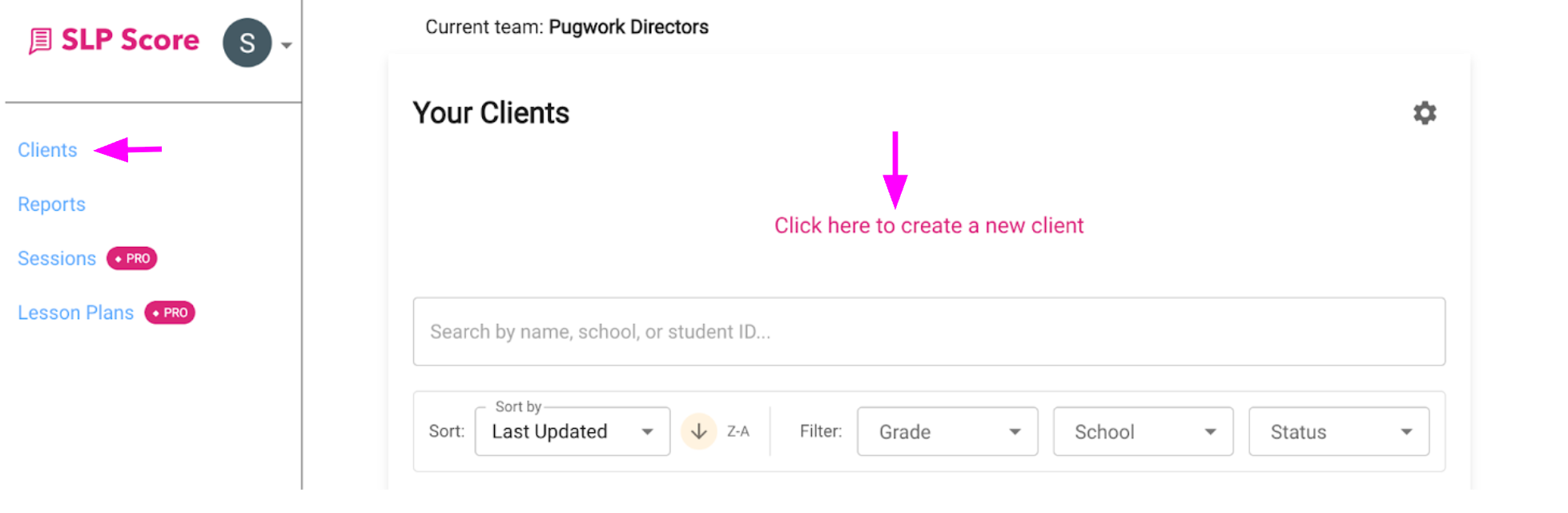
- From the left sidebar, click Clients
- On the Your Clients page, click "Click here to create a new client"
Step 2: Fill Out Basic Client Details
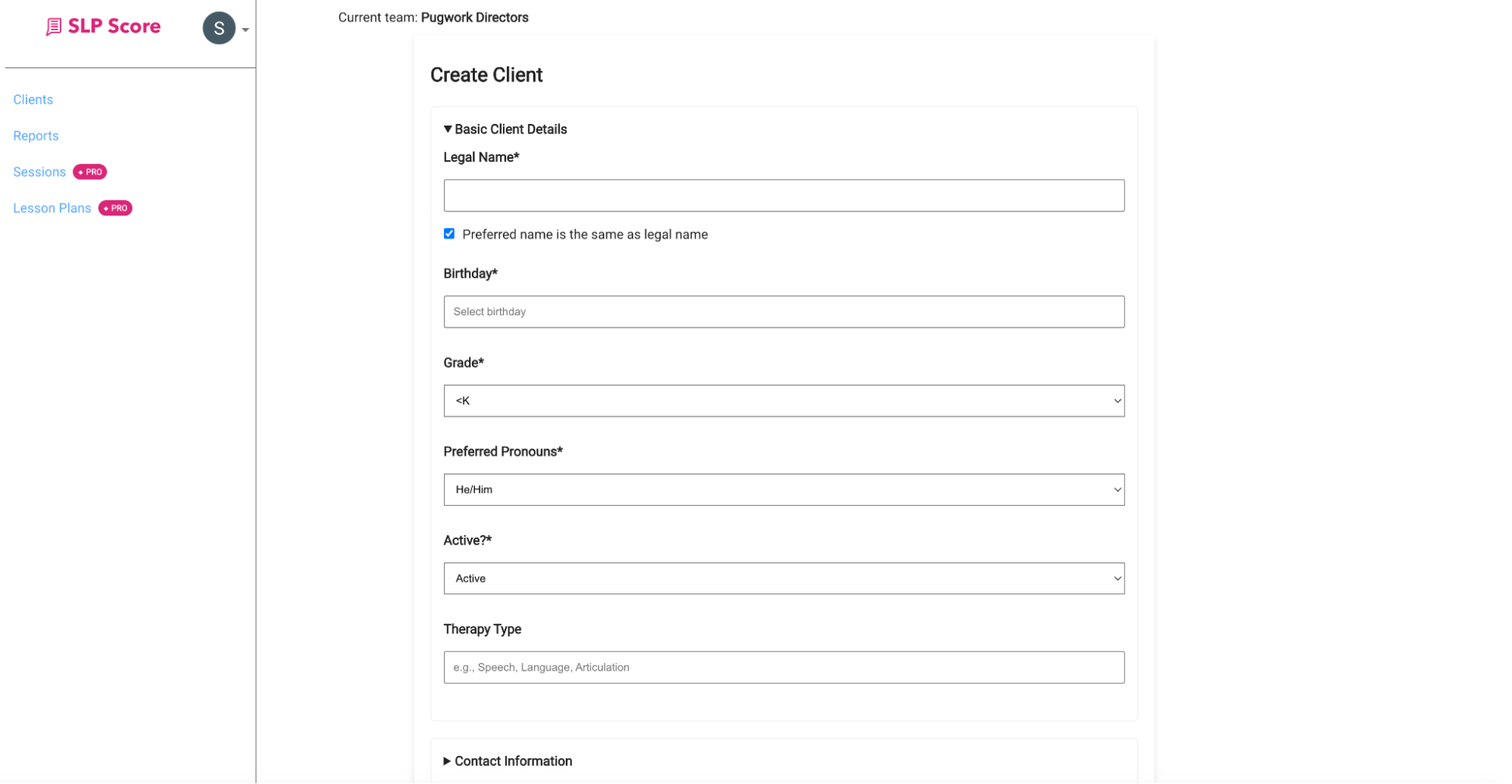
In the Create Client form, complete the Basic Client Details section.
Required Fields:
- Legal Name
- Birthday
- Grade
- Preferred Pronouns
- Active Status
These fields are required to save the client profile.
Step 3: Add Additional Information (Recommended)
While most fields are optional, adding more details helps SLP Score generate:
- More personalized evaluation reports
- More accurate interpretations
- Better goal suggestions
You can also add:
- Therapy Type
- Contact Information
- Goals
- Medicaid Information
- School & Academic Information
- Referral & Concerns
- Family / Environment Factors
- Birth History
- Medical History
- Development History
- School Performance
- Functional Impact
- Therapy Objectives
- Service Planning Information
- Additional Notes
The more complete the profile, the stronger your reports.
Step 4: Save the Client
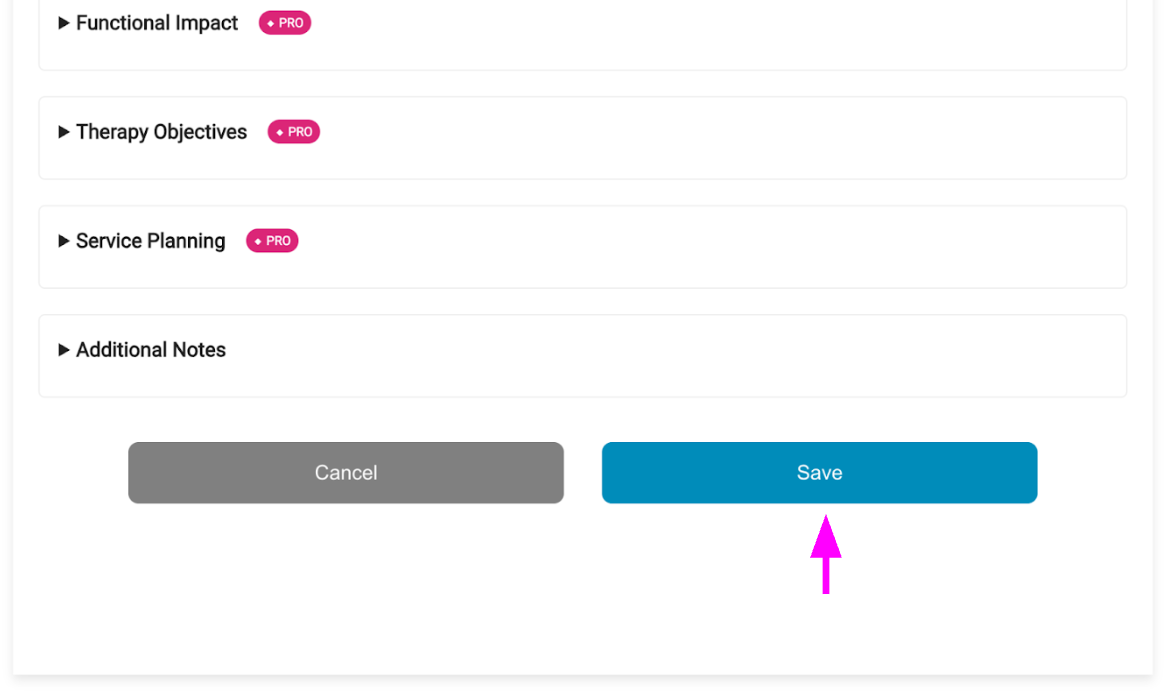
Once required fields are completed:
- Click Save
- The client will now appear in your Clients list
- You can immediately begin scoring assessments
What Happens Next?
After creating a client, you can:
- Score an assessment
- Generate an evaluation report
- Create goals
- Plan sessions
- Track progress
Everything connects to the client profile.
Common Mistakes
- Forgetting to click 'Save'
- Incorrectly entering demographic information
Pro Tip
If you're preparing for a full evaluation, take some extra time to fill out additional Client profile sections. Your eval report will be noticeably more detailed and personalized.
Step 5: Save and Verify
Ut enim ad minima veniam, quis nostrum exercitationem ullam corporis suscipit laboriosam, nisi ut aliquid ex ea commodi consequatur. Quis autem vel eum iure reprehenderit qui in ea voluptate velit esse quam nihil molestiae consequatur.
[Screenshot placeholder - Save confirmation]
Important Note
Vel illum qui dolorem eum fugiat quo voluptas nulla pariatur. At vero eos et accusamus et iusto odio dignissimos ducimus qui blanditiis praesentium voluptatum deleniti atque corrupti quos dolores.