Help Center > Edit/Customize Report
How to Edit or Customize a Generated Report in SLP Score
Personalize your reports to match your professional style
All reports generated in SLP Score are fully editable. After a report is generated, you can open it in Google Docs or download it as a DOCX file to modify it however you like.
This allows SLPs to:
- Add additional clinical observations
- Modify wording to match district requirements
- Insert additional sections
- Adjust formatting or charts
Step 1: Navigate to the Reports Page
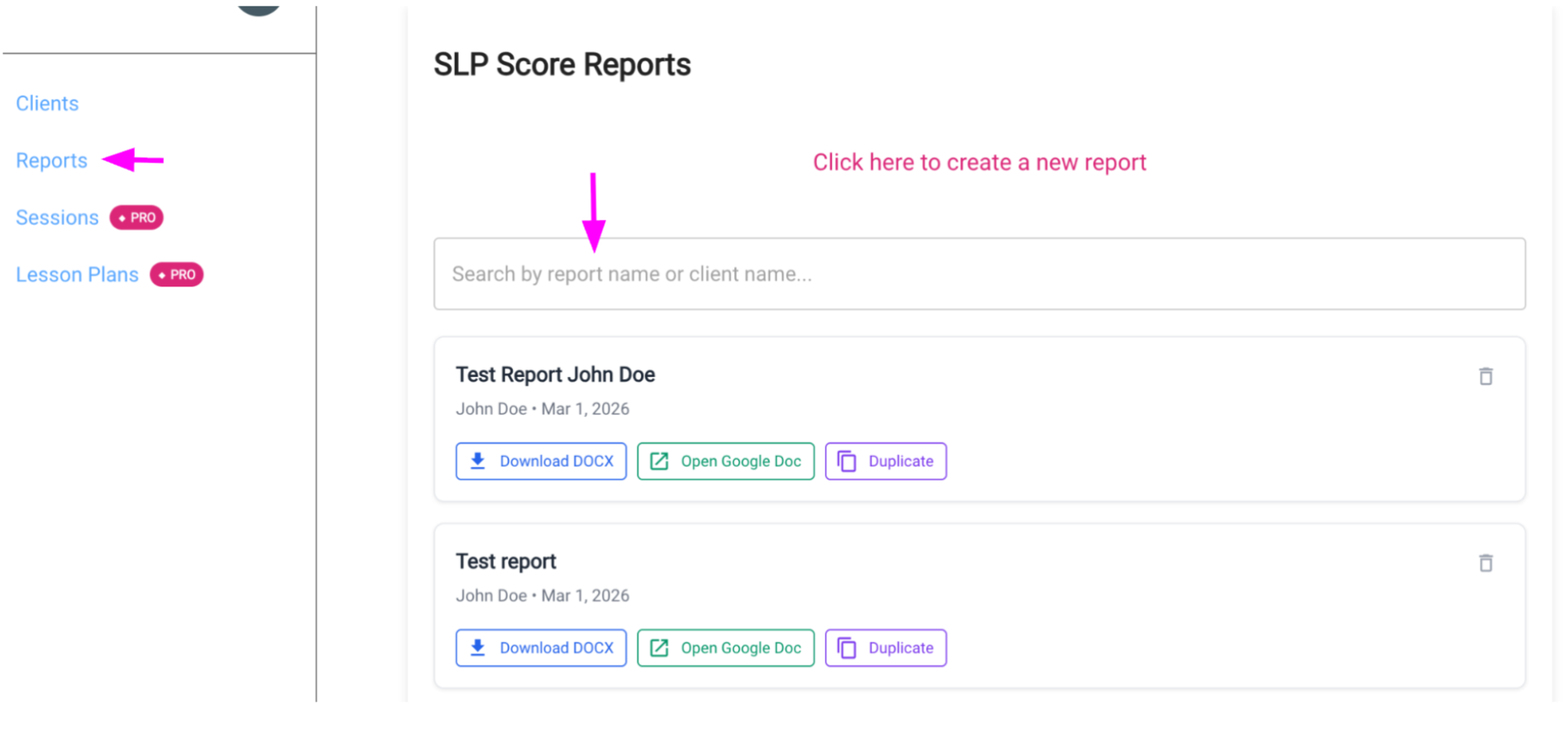
Click Reports in the sidebar navigation.
This will display all reports that have been generated for your clients.
Step 2: Find the Report You Want to Edit
On the Reports page, locate the report you want to modify.
You can use the search bar at the top of the page to search by:
- Report name
- Client name
Step 3: Open the Report in Google Docs
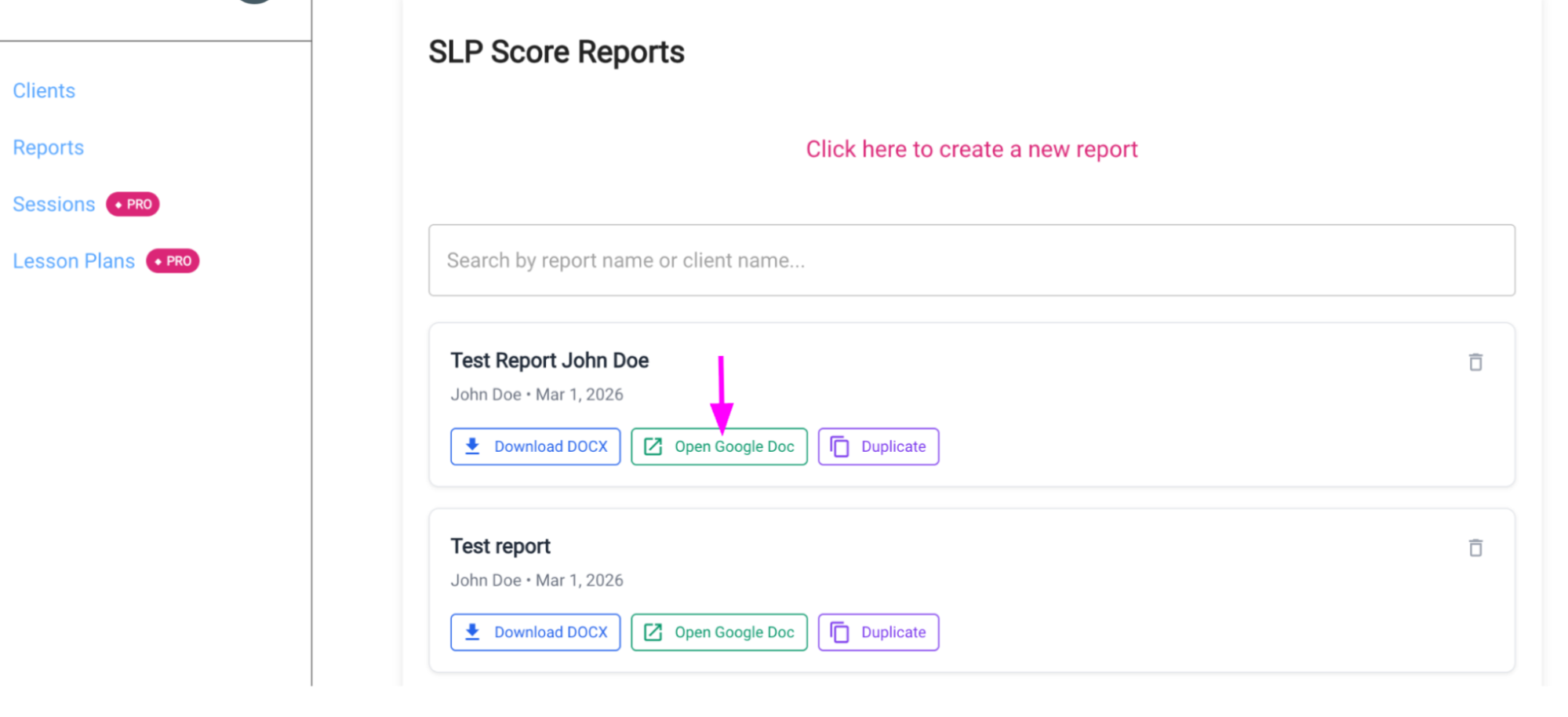
If you are logged in using a Google account, you can edit the report directly in Google Docs.
- Click Open Google Doc
- The report will open in a fully editable Google document
- Make any changes you would like
- Your edits will automatically save in Google Docs
Step 4: Download the Report as a DOCX File
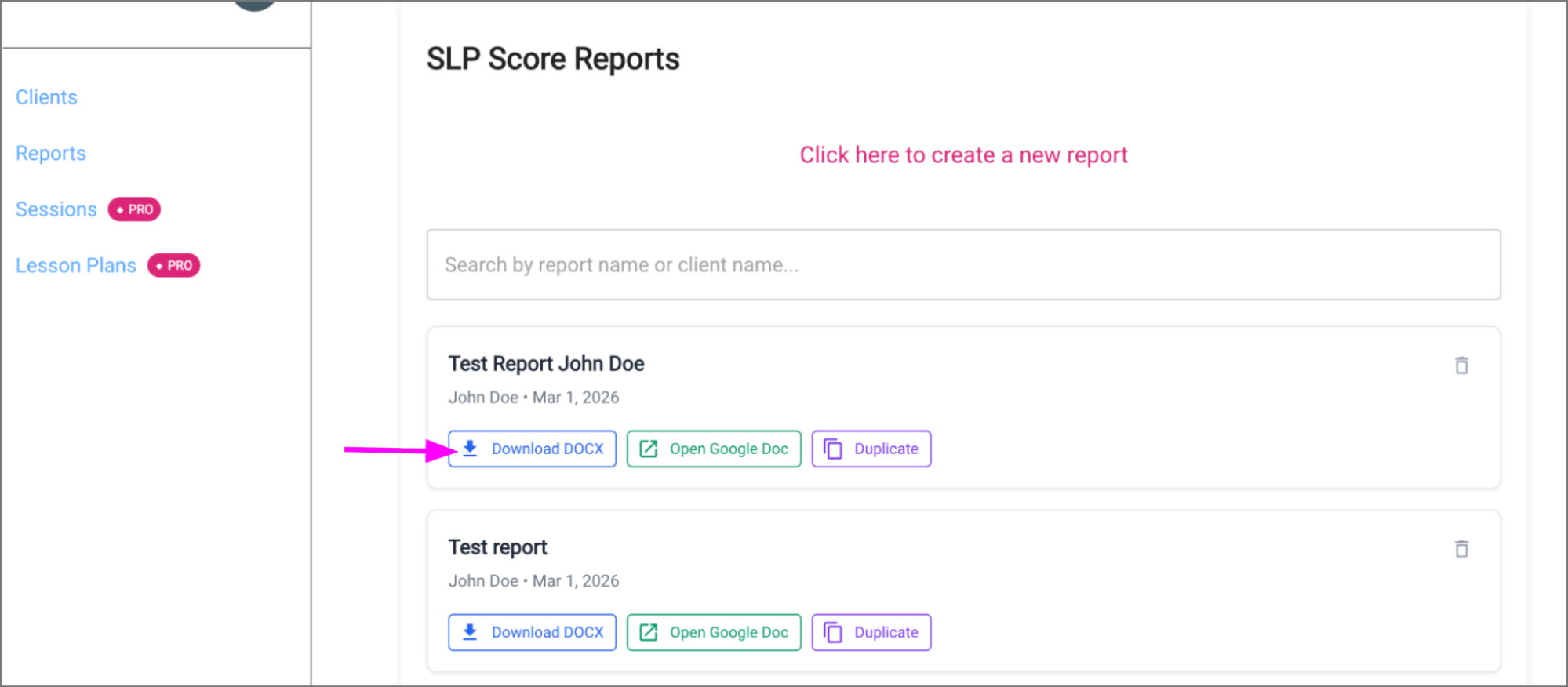
If you are not using a Google account, you can edit the report in Microsoft Word or another text editor.
- Click Download DOCX
- Open the downloaded file in:
- Microsoft Word
- Pages
- LibreOffice
- Any DOCX-compatible editor
- Edit the report as needed
Optional: Duplicate the Report
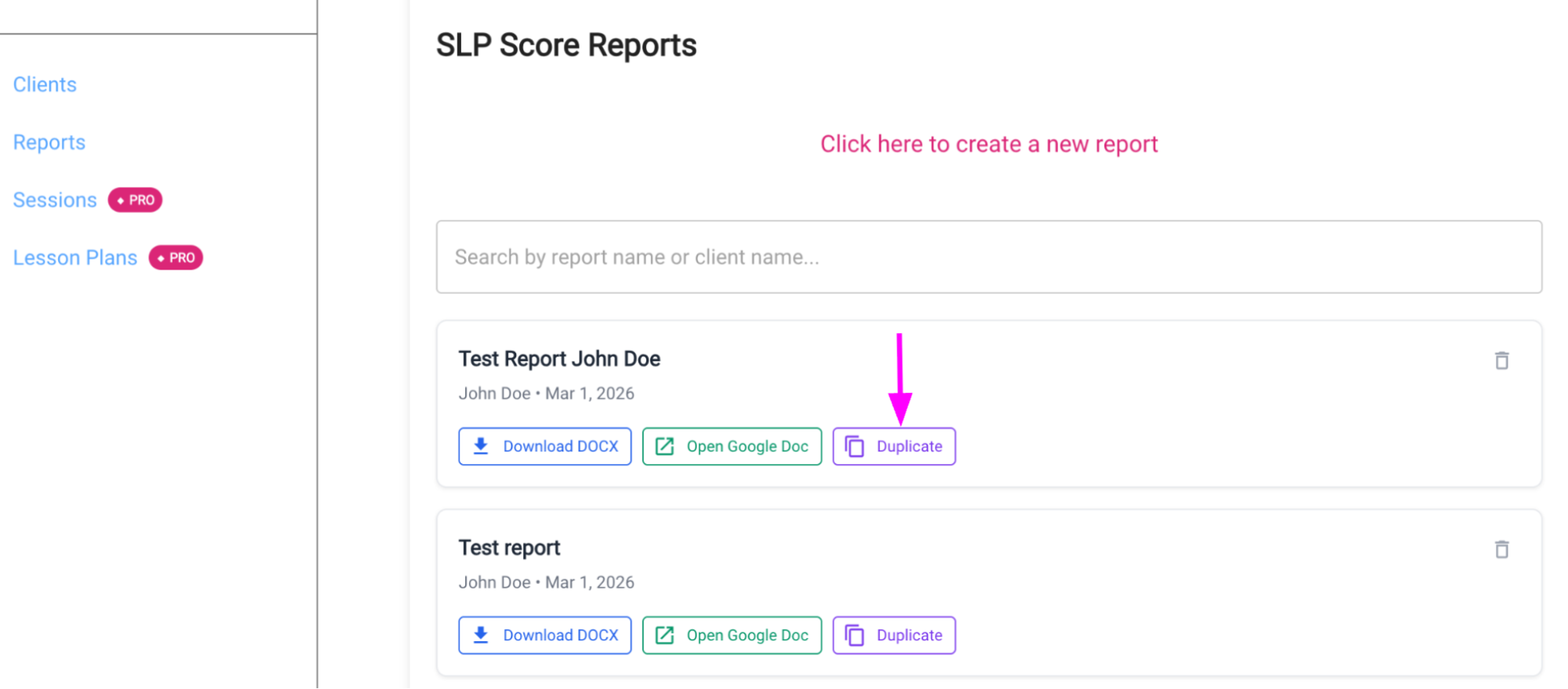
If you want to rerun the report with changes (for example, if you entered an incorrect score or want to add another assessment):
- Click Duplicate
- Update the report inputs
- Submit the report again
This will generate a separate report (in addition to your original report) that you can now edit.
Pro Tip
Many SLPs choose to open reports in Google Docs so they can:
- Share reports with colleagues or administrators
- Leave comments for team members
- Maintain version history
Custom Templates
If your district or practice requires a custom evaluation template, contact us at support@slpscore.com and we can help configure SLP Score to generate reports using your preferred format.