Help Center > Generate Full Report
How to Generate a Full Evaluation Report in SLP Score (Pro Plan)
Complete guide to creating comprehensive evaluation reports
SLP Score allows Pro subscribers to generate a complete speech-language evaluation report, including:
- Completed and formatted summary charts
- Narrative interpretation
- Background section
- Patient history section
- Assessment observation section
- Assessment results and analysis
- Summary of findings
- Recommendations
- Recommended treatment plan
- Recommended treatment prognosis
- Goals
- Editable delivery
This option combines scoring and analysis to build a full narrative.
Step 1: Navigate to Reports
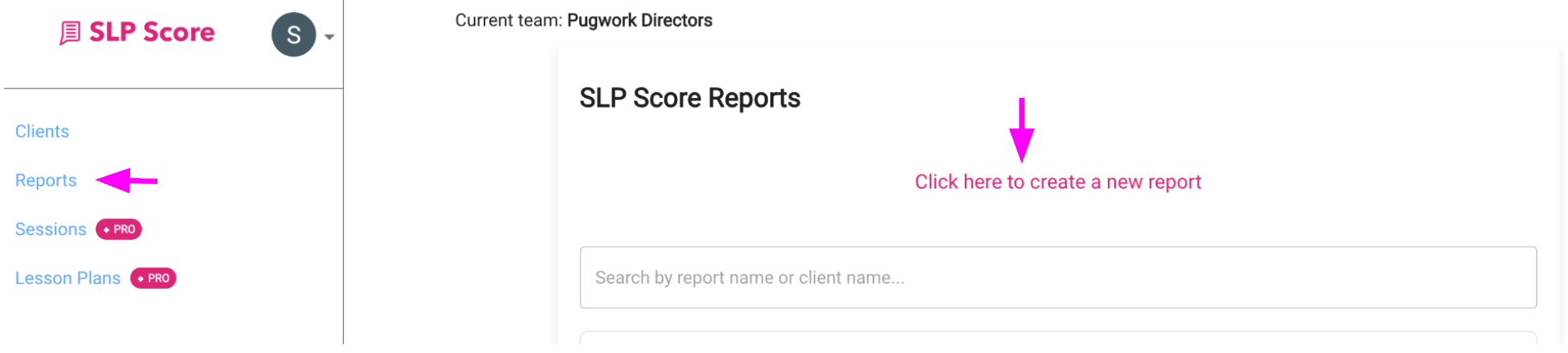
- Click Reports in the sidebar
- Click "Click here to create a new report"
Step 2: Enter Report Details
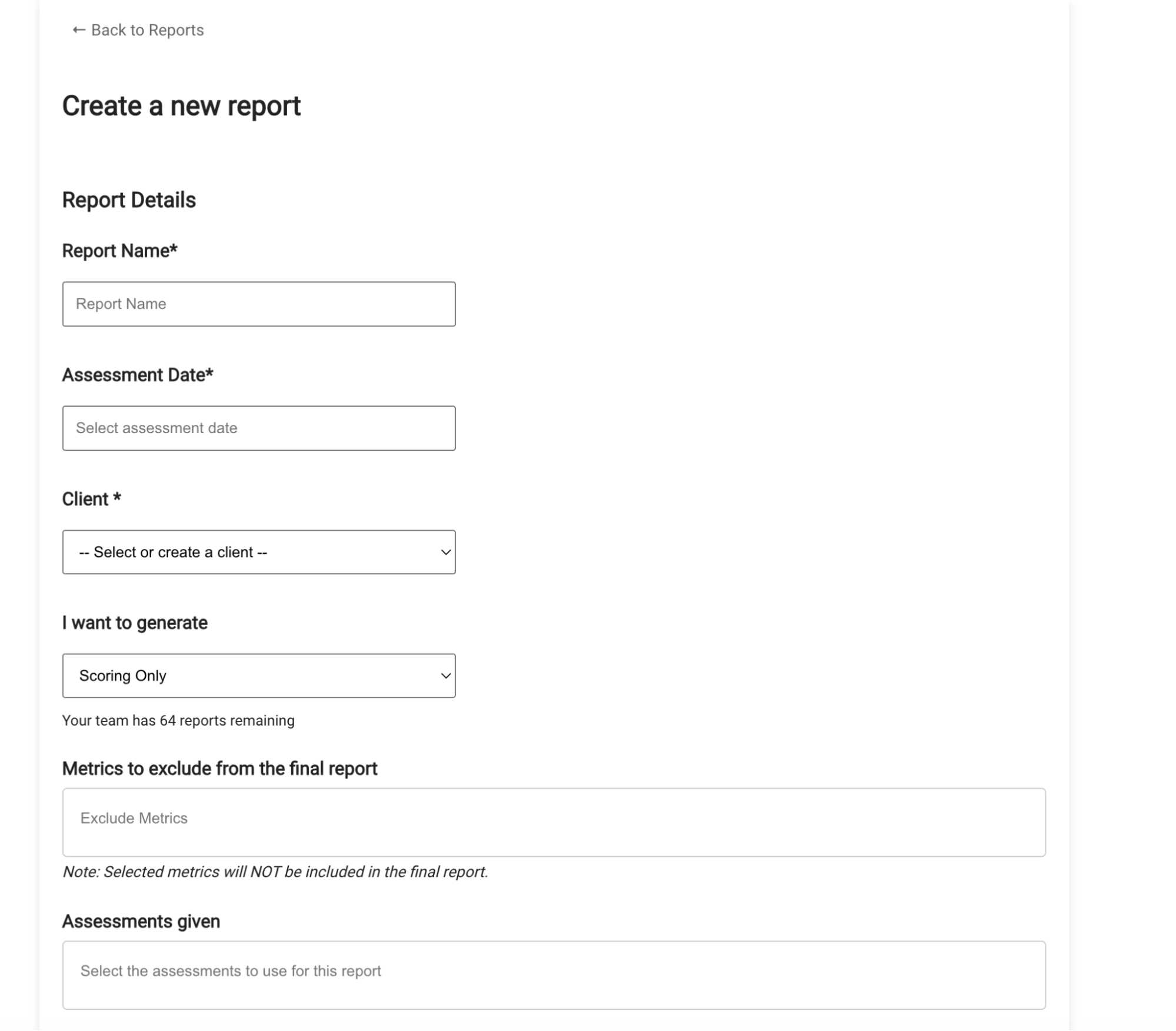
Complete:
- Report Name
- Assessment Date
- Client
If the client does not exist, you can create one directly from the Client dropdown and save it.
Step 3: Select "Scoring & Analysis"
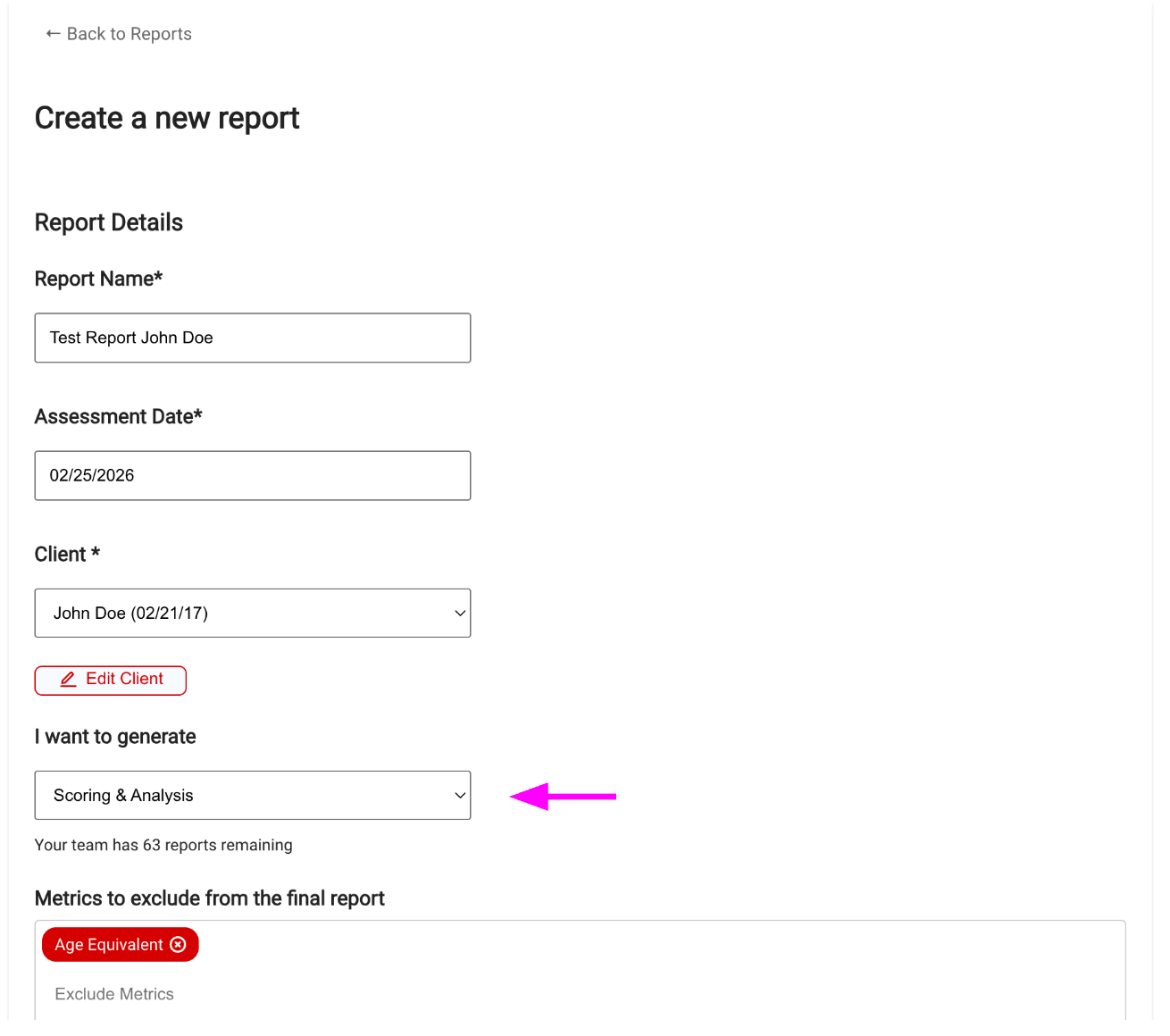
Under "I want to generate", choose:
Scoring & Analysis
This generates:
- Scored assessments
- Summary charts
- Full narrative evaluation report
Note: This feature is available for Pro plan subscribers only.
Step 4: Exclude Metrics (Optional)
If there are specific metrics you do not want displayed in summary charts:
- Select them under Metrics to exclude
- They will be removed from final charts
For example:
- Selecting Age Equivalent removes it from the report charts.
By default, all metrics are included.
Step 5: Select Assessments
Choose one or more assessments under Assessments given.
You can include multiple tests in a single evaluation report.
There is no limit to how many you can combine.
Step 6: Enter Raw Scores & Confidence Levels
Fill out required fields for each assessment selected.
Repeat for all tests included in the evaluation.
Step 7: Add Assessment Session Observations
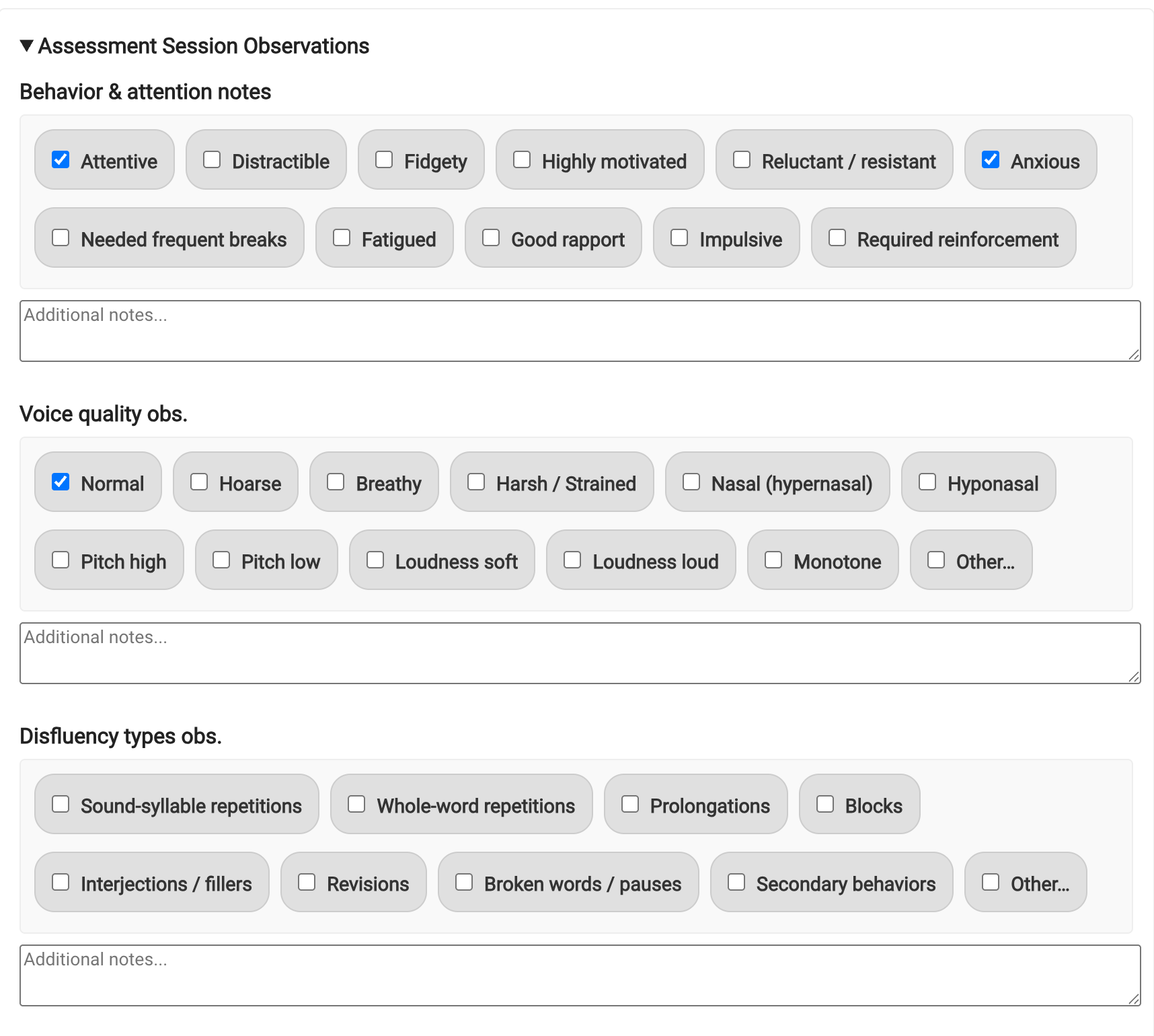
You can incorporate qualitative clinical observations into the narrative report, including:
Behavior & Attention Notes
- Attentive
- Distractible
- Fidgety
- Anxious
- Highly motivated
- Needed frequent breaks
- And more
Voice Quality Observations
- Normal
- Hoarse
- Breathy
- Hypernasal
- Hypophonal
- Etc.
Disfluency Observations
- Sound-syllable repetitions
- Blocks
- Prolongations
- Secondary behaviors
- And more
You may also add custom notes in the text fields.
These observations will be incorporated into the generated narrative.
Step 8: Save Draft or Submit
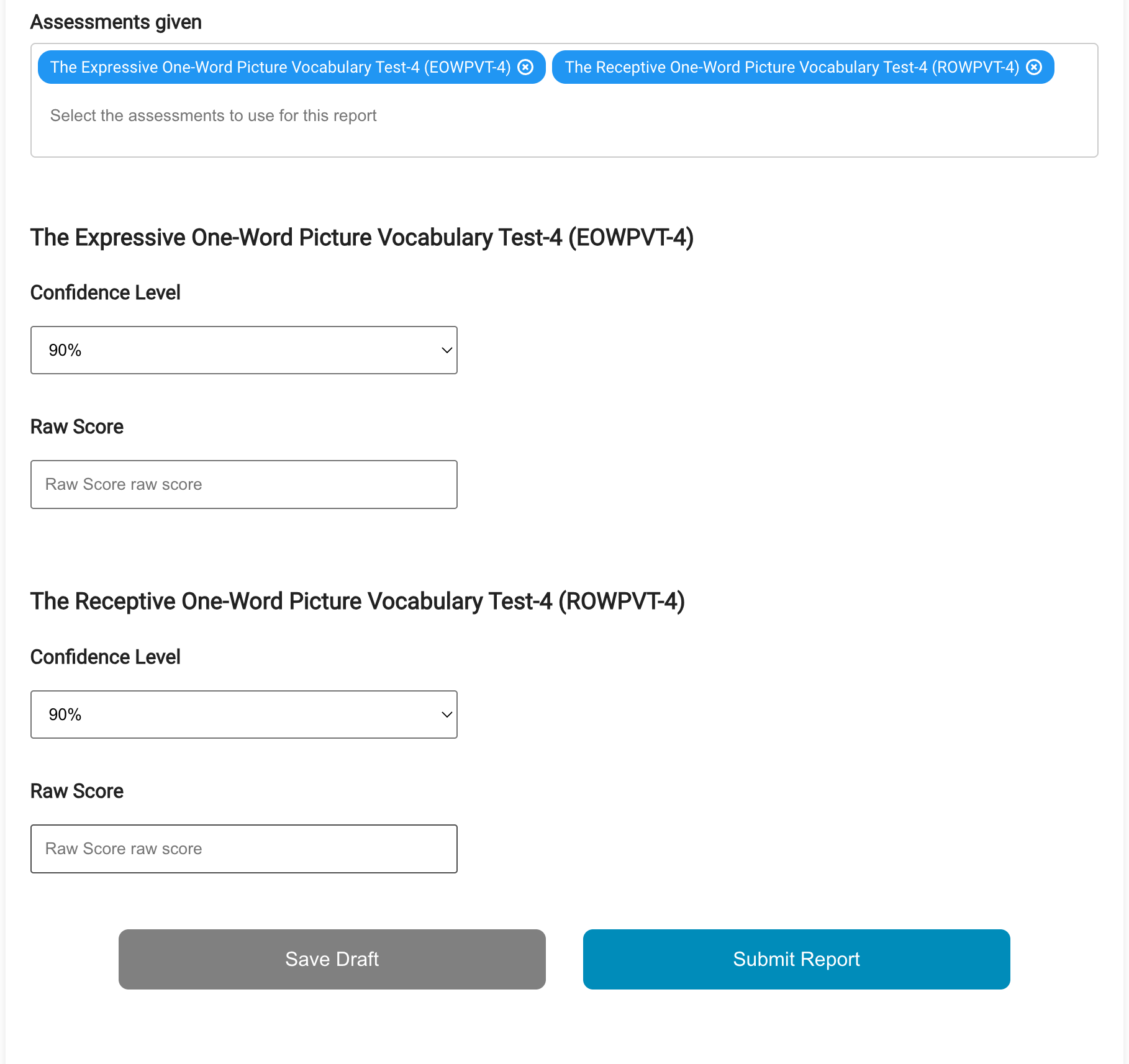
- Save Draft → Saves input details without generating the report
- Submit Report → Runs scoring and narrative generation
Drafts appear labeled on the Reports page and can be edited later.
Step 9: Review Scores Immediately
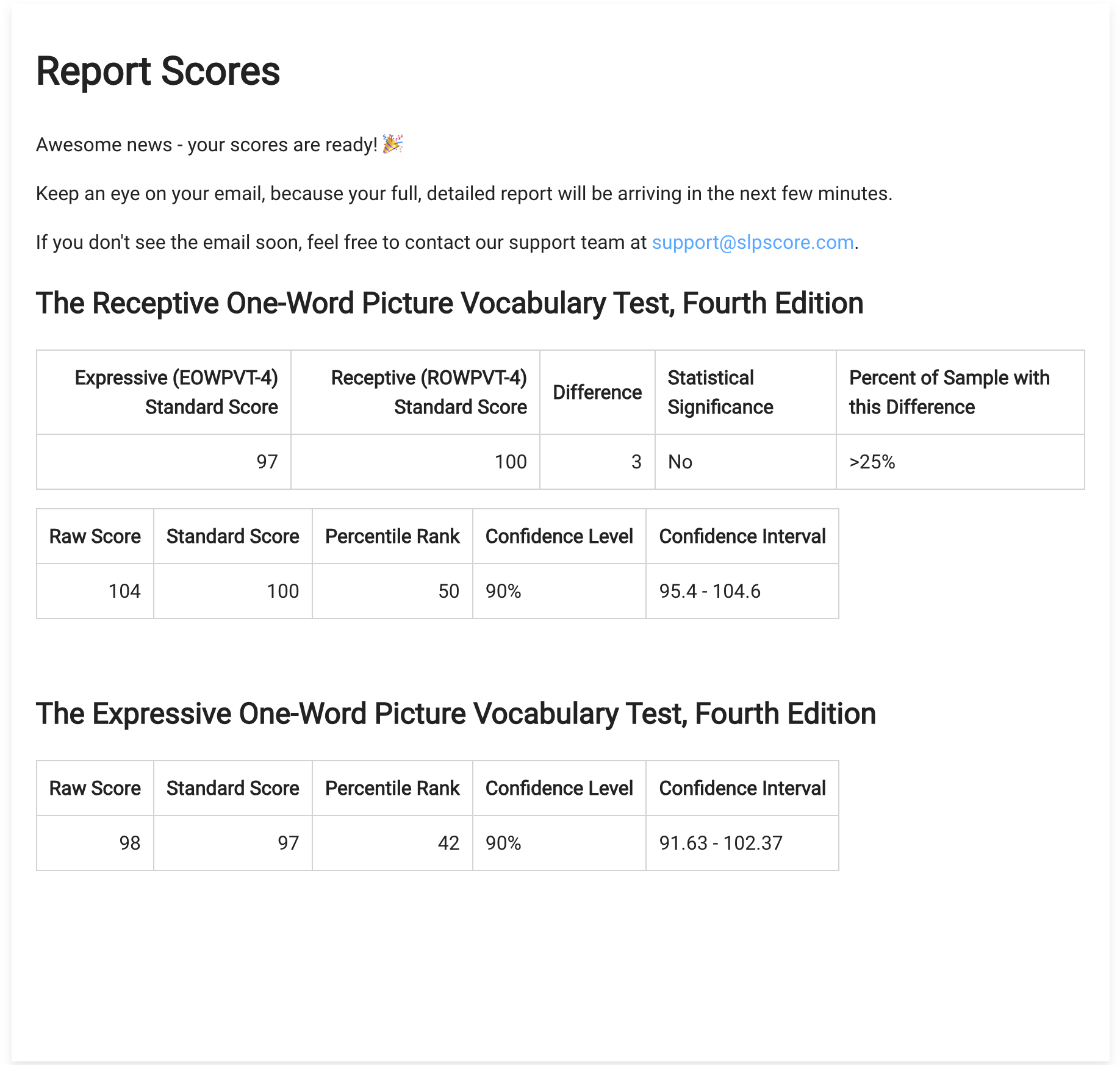
After clicking Submit:
- Scored results appear on screen within seconds
- Summary charts are generated
- Statistical comparisons are displayed
Step 10: Access Your Editable Evaluation Report
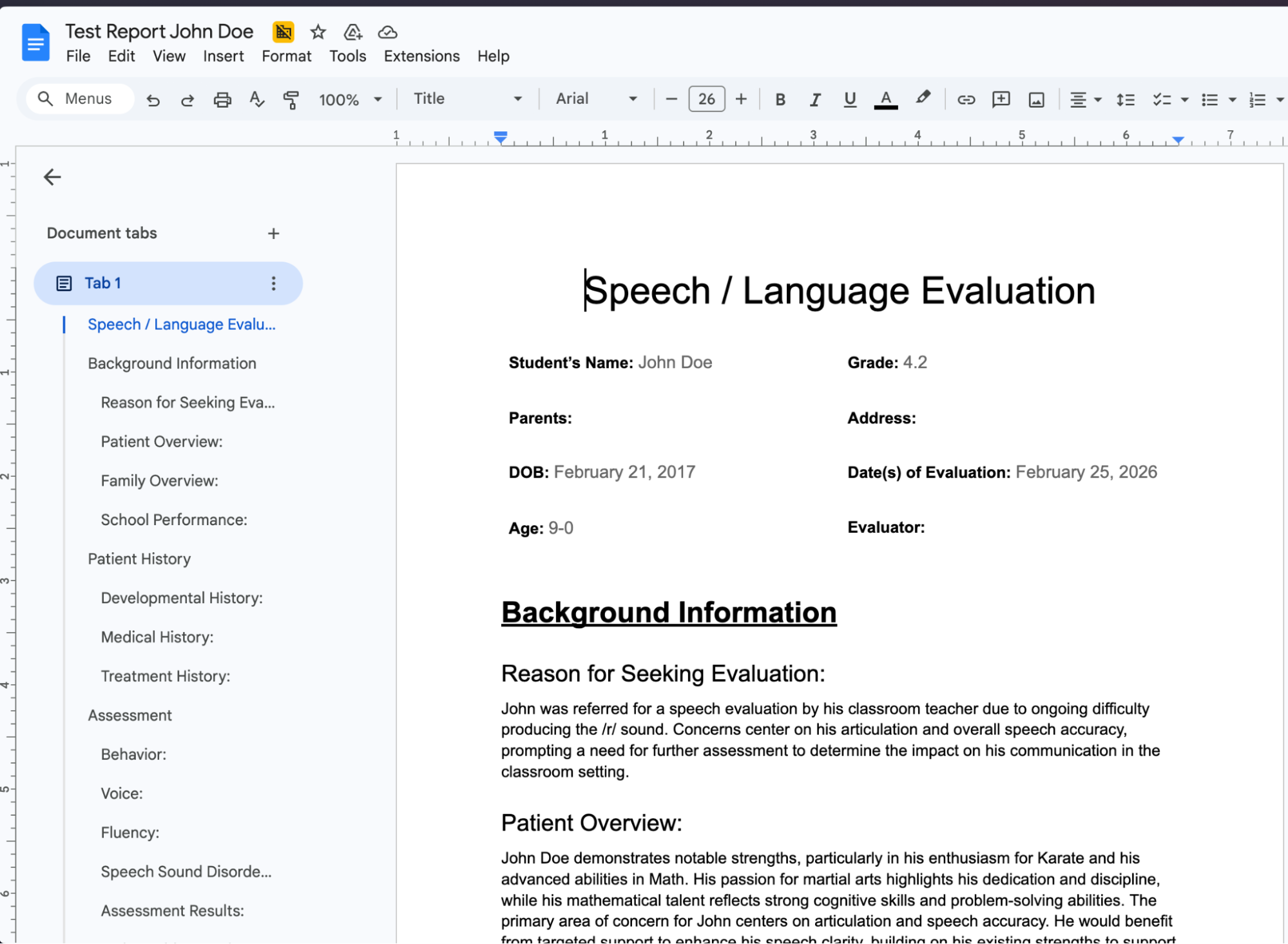
You will shortly receive an email containing:
- A link to the full editable evaluation report
- Structured sections including:
- Background Information
- Reason for Referral
- Assessment Results
- Clinical Interpretation
- Summary
You can:
- Open in Google Docs
- Download as DOCX
- Duplicate the report input to rerun with changes
Step 11: Access Reports Anytime
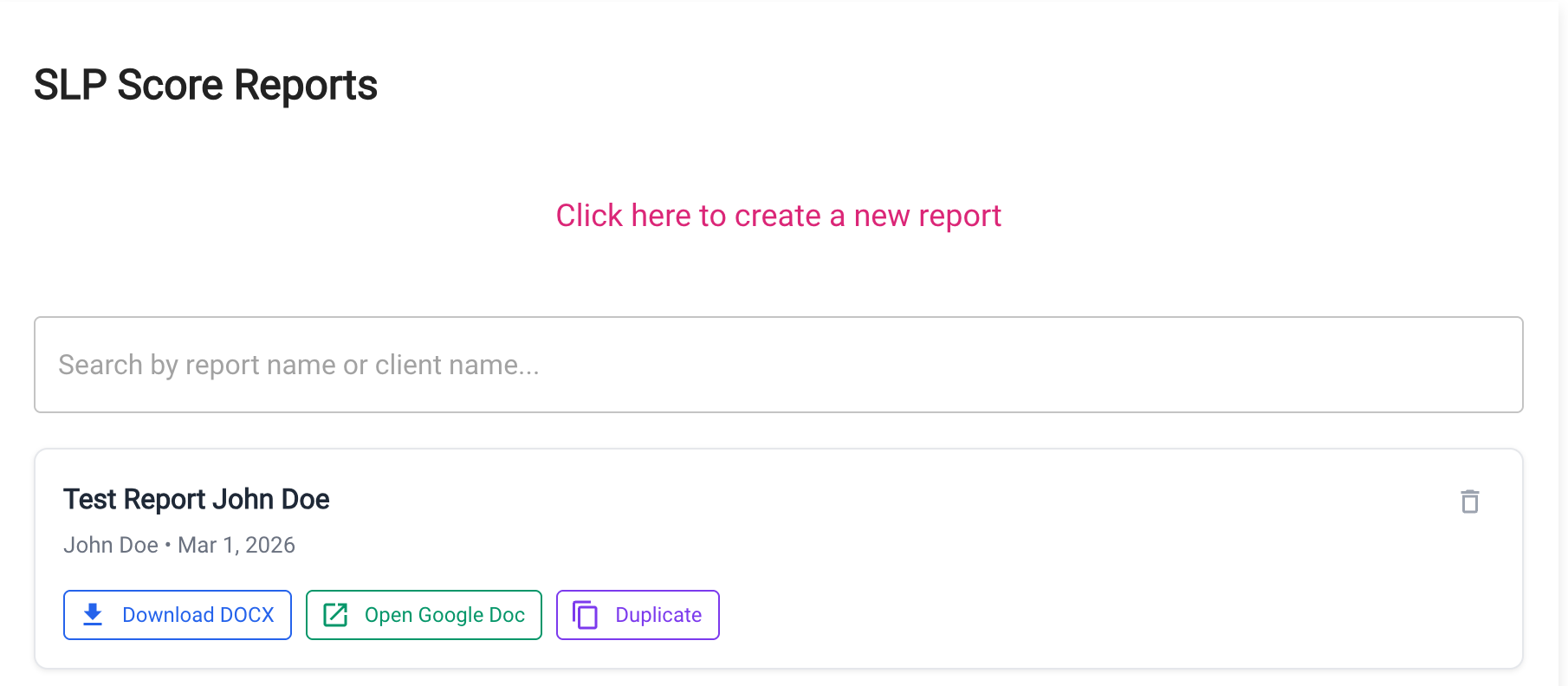
From the Reports page, you can:
- Download DOCX (for Microsoft Word)
- Open Google Doc
- Duplicate report
- Delete report
Duplicating is helpful if:
- You need to adjust raw scores
- You forgot an assessment
- You want to reuse input structure
Custom Templates
If you would like to use your own evaluation template instead of the standard SLP Score format, contact us at support@slpscore.com and we can help configure a custom template for your team.
What's Included in the Full Evaluation?
- Full completed summary charts
- Narrative interpretation
- Integrated behavioral observations
- All formatted and editable.
Common Mistakes
- Selecting Scoring Only instead of Scoring & Analysis
- Forgetting to add session observations
- Not entering raw scores for all selected tests
- Saving draft when intending to generate
- Not including enough details in the Client profile
Pro Tip
The strongest reports combine quantitative scores with qualitative session observations and client information. Spend a few minutes completing the observation sections and filling out the client profile to dramatically improve narrative quality.